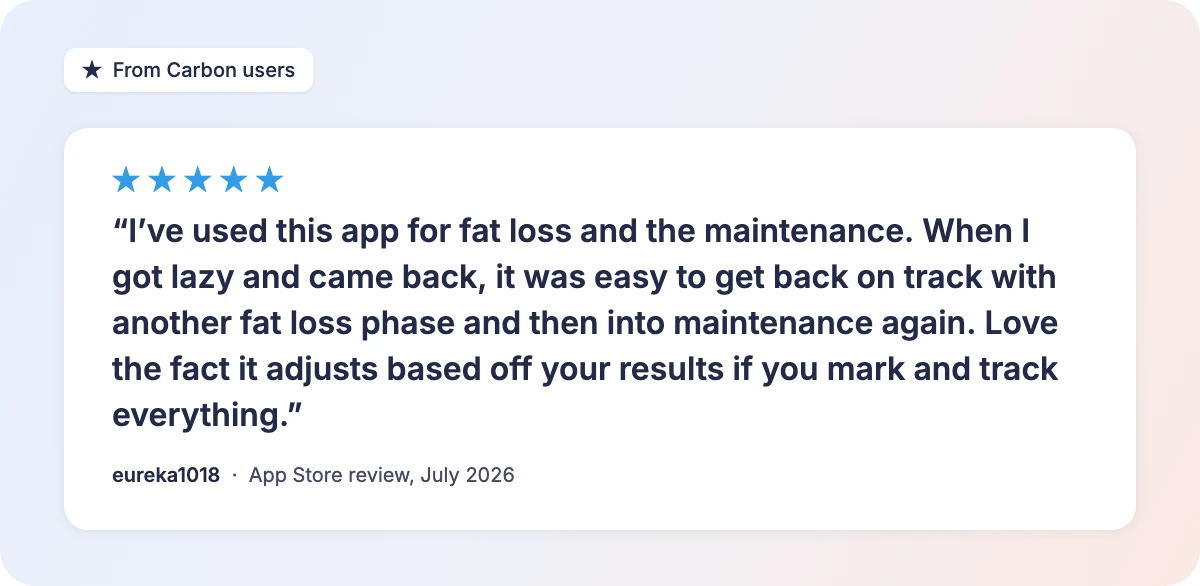
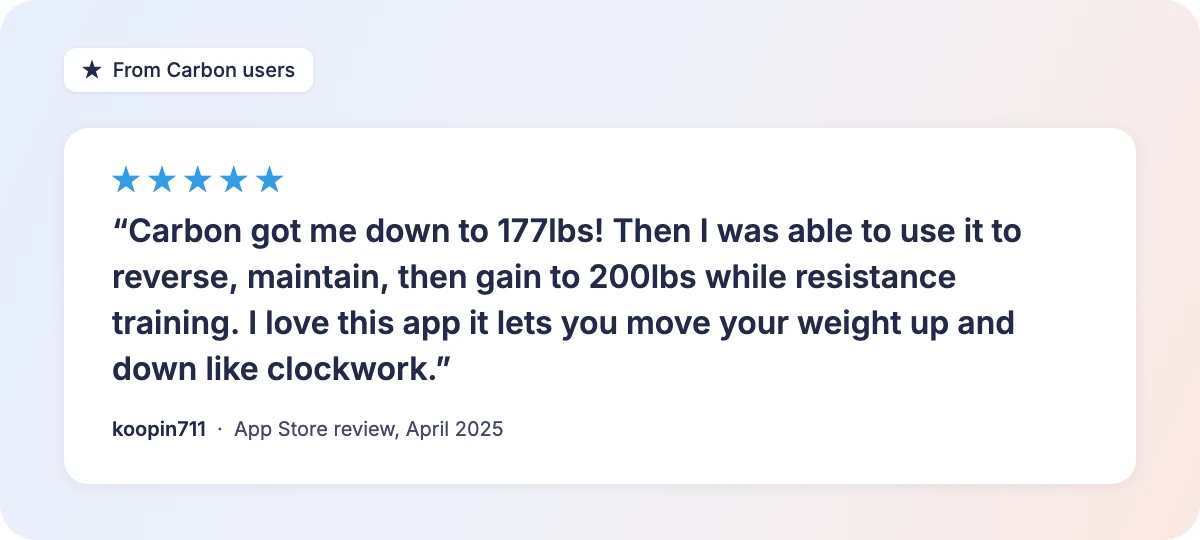
“I have lost 30-40 pounds since starting. The Carbon App has allowed me to feel free in eating and tracking while learning what my body can handle without gaining weight.”
Kelly C., Carbon member
7-day free trial
Head into the holidays with a plan
Enjoy the holiday meals you love and still make progress. Carbon builds a plan for your body, then adjusts it weekly so you start January closer to your goal.
You did the hard part and lost the weight. Then, over a few months, some of it crept back, even though you thought you were eating at maintenance. It's one of the most common stories in dieting, and it usually has less to do with willpower than with a number that quietly stopped being right.
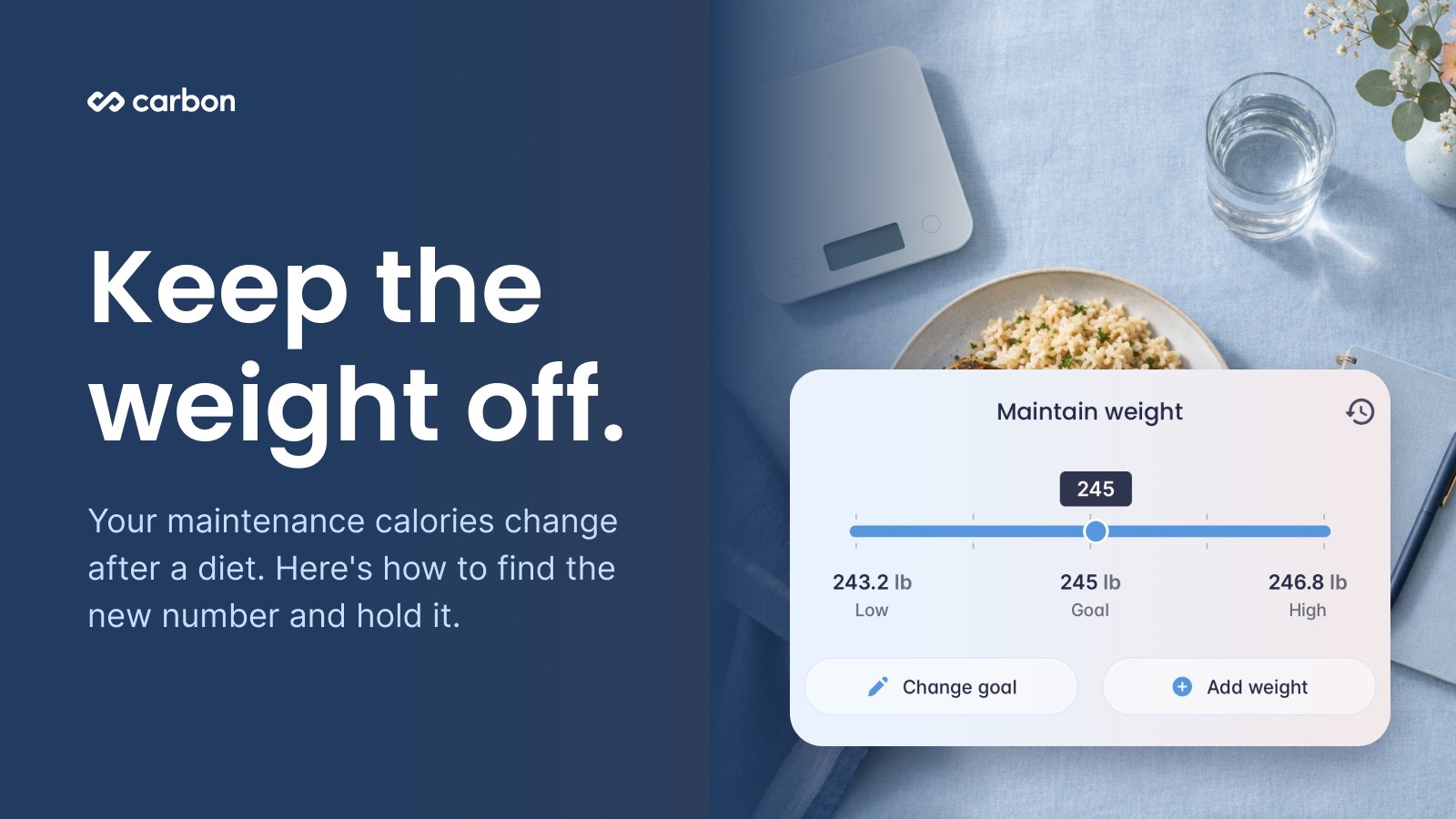
Quick answer: Your maintenance calories, also called your TDEE (total daily energy expenditure), change as you lose weight. A number from a formula calculator like Mifflin-St Jeor, or the one you ate before your diet, will drift. The best app for finding maintenance and staying there is an adaptive one: it keeps re-estimating your maintenance from what you log and how your weight trends, then makes small, measured changes only when your weight moves outside a set range. In Carbon, you set a maintain weight goal and the app finds your current maintenance for you through those weekly adjustments.
Why the weight comes back
Regaining weight after a diet is common, but it isn't inevitable. A meta-analysis of 29 long-term studies found that most people regained part of what they lost, yet five years after a structured program the average person was still more than 3 kg (over 6 pounds) below where they started.
Three things tend to drive the regain:
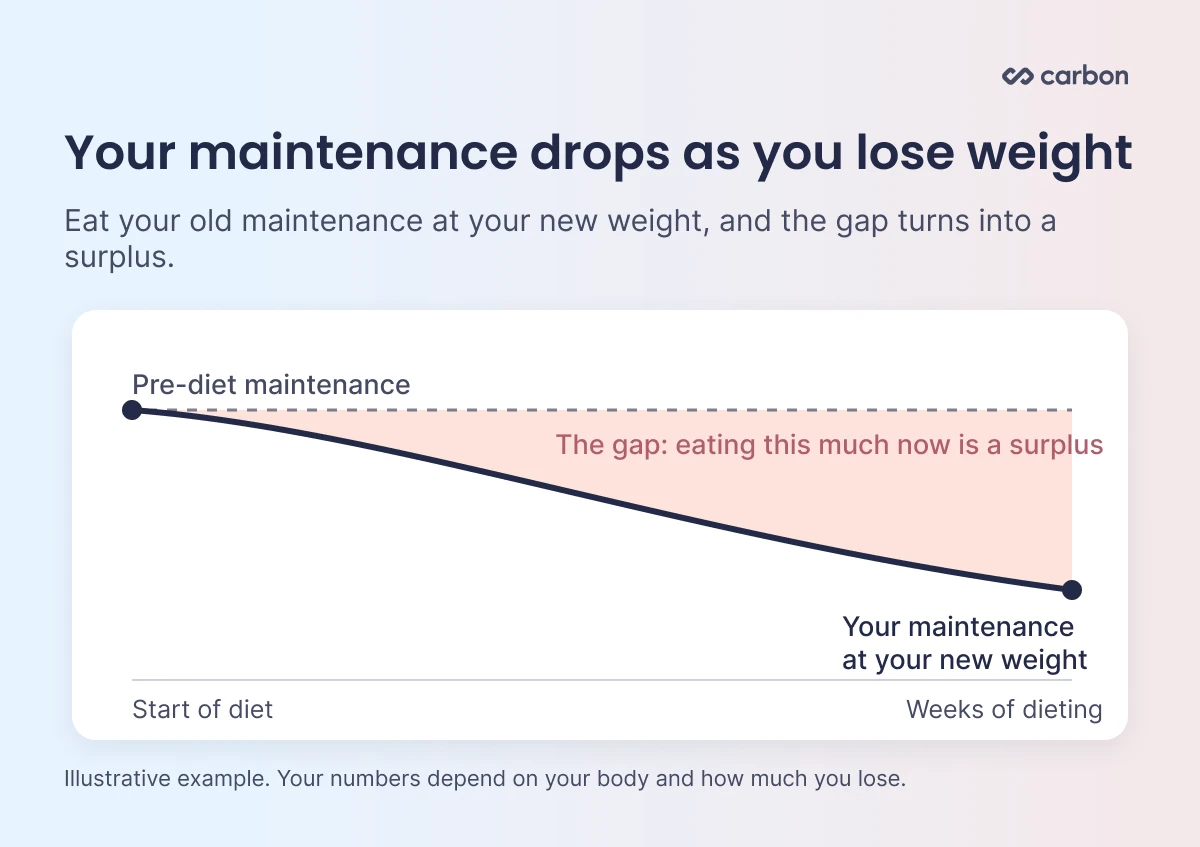
Your maintenance went down. A smaller body needs less energy to maintain. Unless you've significantly increased your activity to make up the difference, your maintenance is likely lower than it was before your diet. In one study, people who had kept off at least 10% of their body weight for more than a year still burned less energy than they did before losing it. Eating what you ate at your old weight now puts you in a surplus.
The estimate goes stale. Calculators use a formula, such as Mifflin-St Jeor, to estimate your needs from your age, height, weight, and activity. They can't see how your body is responding, and they don't update unless you redo them yourself.
Tracking stops right when the target changes. Many people stop logging and weighing in once the diet ends. Among National Weight Control Registry members who had lost at least 30 pounds, people who weighed themselves less often over the next year gained about 4 kg, compared with about 1 kg for people who weighed in more often.
There's good news in the research too. In a study of people who had kept off at least 30 pounds for a year or more, resting energy expenditure was close to what standard equations predicted for their current size. Your maintenance is lower mostly because you're smaller, and that's a number you can find.
The common mistake: "reversing up to maintenance"
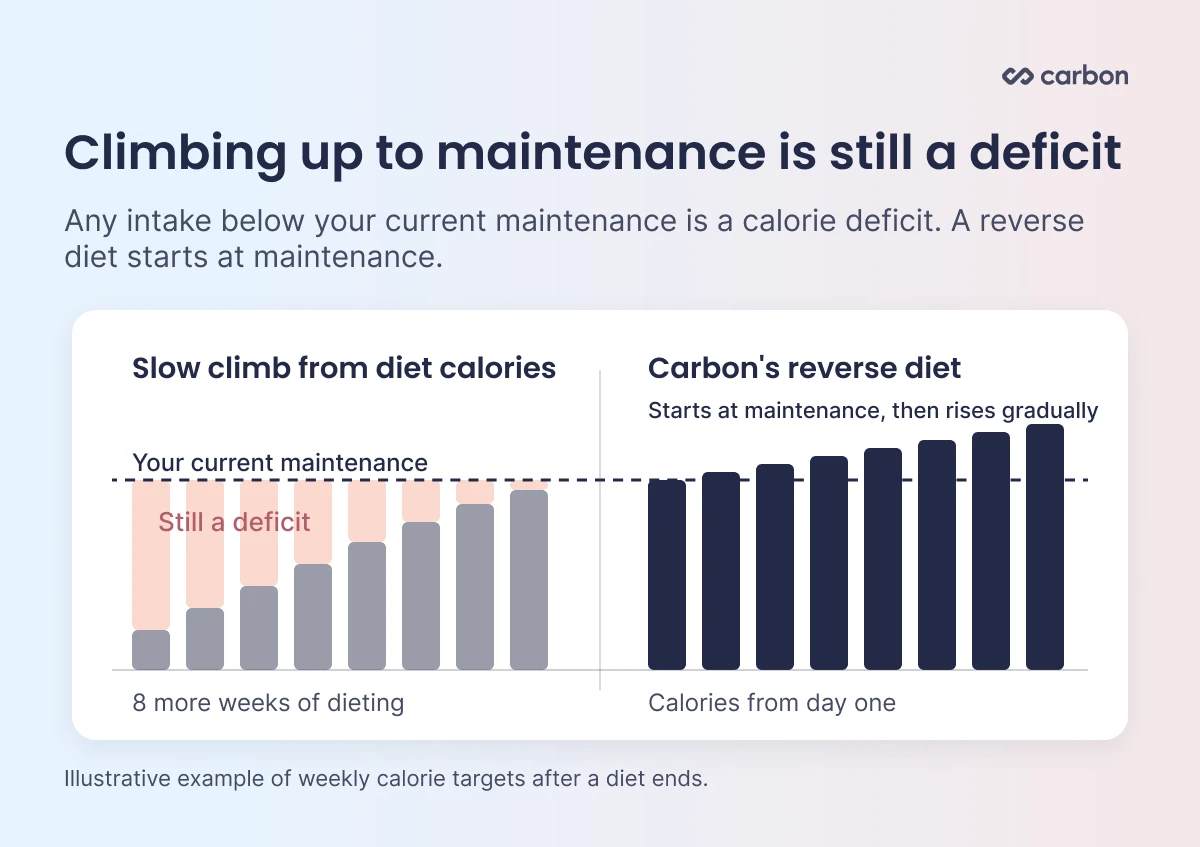
When a diet ends, a lot of people add calories back slowly, week by week, thinking they're climbing up to maintenance. The math says otherwise: any intake below your current maintenance is still a calorie deficit. If you spend eight weeks working your way up to maintenance, you've spent eight more weeks dieting.
A true reverse diet starts at your current estimated maintenance and increases calories gradually from there. That's how Carbon's reverse diet goal works. If you'd rather hold your new weight, you can go straight to maintenance instead. Either way, you start at your maintenance today.
How a typical calorie tracker handles maintenance
Most calorie trackers handle maintenance the same way they handle dieting: you get one number. When you switch goals, the app gives you a new target from a formula, and that's where it stays.
From there, it's up to you to:
Notice when the scale starts drifting
Decide whether it's a real trend or water from a salty weekend
Pick how much to change your calories, and when
That's a lot of judgment calls, and they're easy to get wrong in both directions. Change too fast and you end up chasing normal day-to-day swings. Wait too long and a few pounds turn into ten.
How Carbon handles maintenance
Carbon treats maintenance as a goal with its own coaching, the same way it treats fat loss.
It keeps re-estimating your maintenance
Carbon continuously evaluates your metabolism from what you log and how your weight trends, and recalculates your current estimated maintenance calories along the way. Your trend comes from multi-week weigh-in averages, so water swings from a salty meal or a hard workout don't throw off the estimate. When you finish a diet and switch goals, your maintenance number is already up to date, based on how your body has been responding rather than a formula from the day you signed up.
It holds you within a range
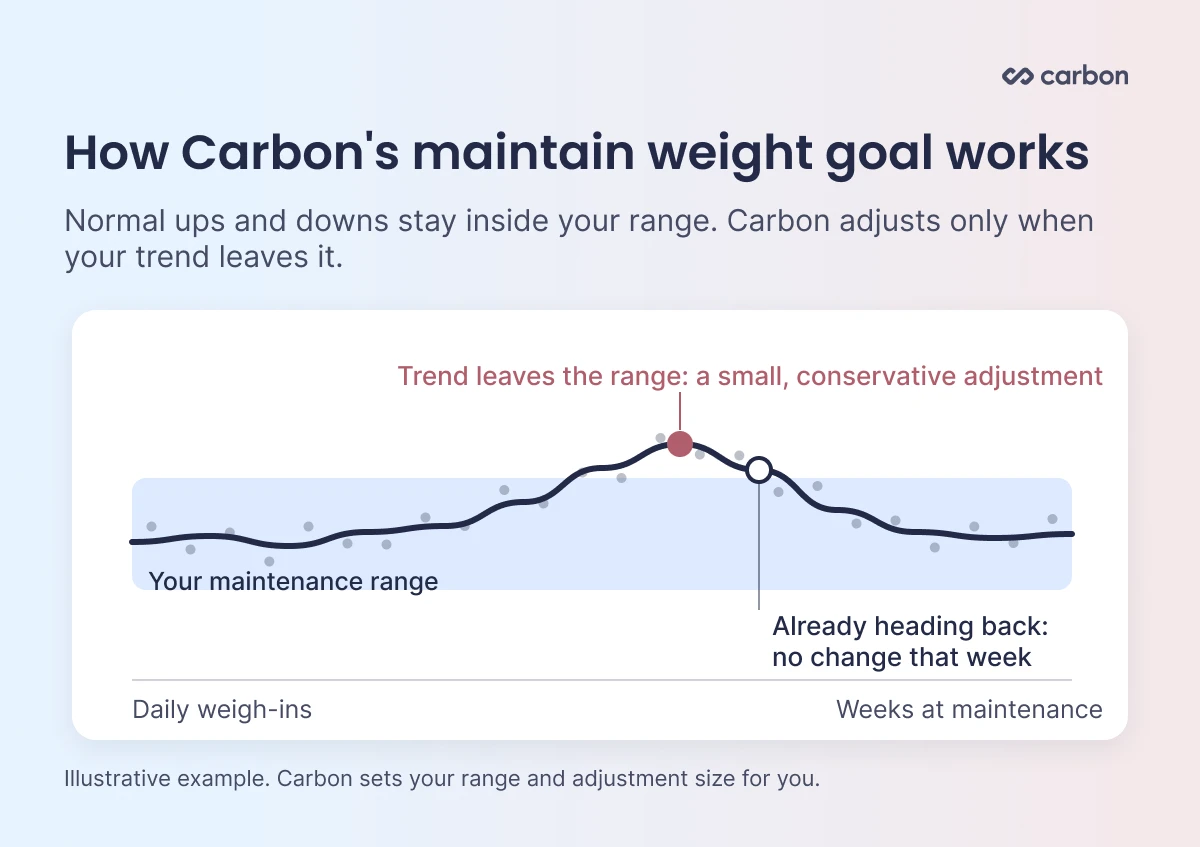
On the maintain weight goal, Carbon sets a range around your maintenance weight. Normal ups and downs inside that range don't trigger a change, so a salty dinner or a hard training week won't send your calories bouncing around.
It adjusts in small steps when you leave the range
If your weight trend moves outside the range, Carbon adjusts your calories based on how far you are from your maintenance goal. Those adjustments are conservative by design, so your targets don't jump around from week to week.
It lets a trend finish
After an adjustment, if your weight is already trending back toward your range, Carbon holds your targets steady that week instead of stacking another change on top. That gives your body time to settle where it's already headed.
It looks at what you logged, along with the scale
At each weekly check-in, Carbon compares your weight trend with the calories you logged. Its adjustments take your tracked intake into account, so your targets reflect how your body responds to what you're really eating.
Coming off a diet: maintain or reverse diet?
Both goals start you at your current estimated maintenance. The difference is where you go from there.
Maintain weight: Choose this to hold your new weight now. Carbon keeps you within your range and adjusts only when your trend leaves it.
Reverse diet: Choose this if you want to raise your calories gradually from maintenance.
If you reach Carbon's minimum calorie floor during a diet, Carbon lets you know and recommends switching to one of these two goals. For what a maintenance phase looks like day to day, see Maintenance Phase After Weight Loss: Why It Matters.
Quick checklist for staying at maintenance
Start at your current maintenance: Skip the slow climb from your diet calories.
Keep logging: Your intake is half of the picture your app uses to find maintenance.
Keep weighing in: A few mornings a week is enough to see your trend.
Watch the trend: Judge progress over several weeks, not single weigh-ins.
Give changes time: Let an adjustment play out before making another one.
Plan for disruptions: Holidays, travel, and dinners out are part of maintenance. Use the Calorie Planner to make room for bigger days (see weekly calorie budgeting), and after an unplanned meal, go back to your usual targets instead of cutting hard.
FAQ
How do I find my maintenance calories?
The easiest way is to set a maintain weight goal in Carbon and let the app find it for you. Carbon starts from your current estimated maintenance, then compares your weigh-in trend with what you log. If your trend moves outside your range, it makes a small adjustment at your weekly check-in. Over a few weeks, that settles on the calories that hold your weight. Keep logging and weighing in so each adjustment is based on real data.
Is maintenance the same as TDEE?
Yes. Your maintenance calories are your total daily energy expenditure (TDEE), the calories you burn in a day. Eating that amount holds your weight steady. Calculators estimate TDEE with formulas like Mifflin-St Jeor. Carbon estimates it from your own logged intake and weight trend, and keeps updating it as you go.
Why do I keep gaining weight back after a diet?
As you lose weight, your maintenance calories are likely lower than before. A smaller body burns less energy, so unless you've significantly increased your activity to make up the difference, eating what used to maintain your old weight now puts you in a surplus. Regain often starts when people stop tracking and weighing in, right as their target has changed. A maintain weight goal keeps your calories matched to your new weight.
Will one big day make me gain the weight back?
A higher-calorie day can push the scale up for a few days through water, salt, and stored carbs. That isn't the same as regaining fat. Go back to your usual targets, keep logging, and watch your trend. On Carbon's maintain weight goal, a short bump that stays inside your range won't trigger an adjustment. Skipping meals to make up for it usually makes the cycle harder.
Should I reverse diet or go straight to maintenance?
Both start at your current estimated maintenance. Go straight to maintenance if you want to hold your weight now. Choose a reverse diet if you want to raise your calories gradually from there.
Is eating a little below maintenance after a diet a reverse diet?
No. Any intake below your current maintenance is still a calorie deficit. A reverse diet starts at maintenance and moves up from there.
How much will my weight move at maintenance?
Day-to-day swings from water, salt, carbs, and digestion are normal, even when your calories are right. Judge maintenance by your trend over several weeks. On Carbon's maintain weight goal, changes inside your range don't trigger an adjustment.
The bottom line
Keeping weight off comes down to knowing your real maintenance and staying close to it as it changes. Start at your current maintenance, keep logging and weighing in, and let small, steady adjustments do the work. That turns maintenance from a guessing game into a plan. For the habits that support it, read how to lose weight and keep it off.
Try Carbon free for 7 days. Set a maintain weight goal, log your food, and check in each week. Carbon keeps your maintenance estimate up to date and adjusts your plan based on your actual progress. Start your free trial.
This article is for informational purposes and isn't medical advice. If you have a medical condition or a history of disordered eating, talk with a qualified professional before tracking.
Share
John Ybarra, NBC-HWC, CSCS
John is a National Board Certified Health & Wellness Coach and Certified Strength and Conditioning Specialist who has coached people through fitness, nutrition, and behavior change for nearly two decades, including as a health coach at Vida Health and leading wellness programs at the YMCA. He is VP of Operations at Carbon Diet Coach.