Sign-up to our newsletter and we'll also send you our free ebook on Navigating Social Situations.
Imagine confidently joining any dinner party, indulging in holiday feasts guilt-free, and making lasting memories, all while edging closer to your goals. Sign up now!
You will receive an email from us soon.
Hmm.. something went wrong. If the issue persists, please contact us.
Weekends are where a lot of progress stalls. Later nights, more meals out, and busier social plans make one fixed daily calorie target hard to hit. Planning by the week instead of the day lets you enjoy the weekend and still stay on track.
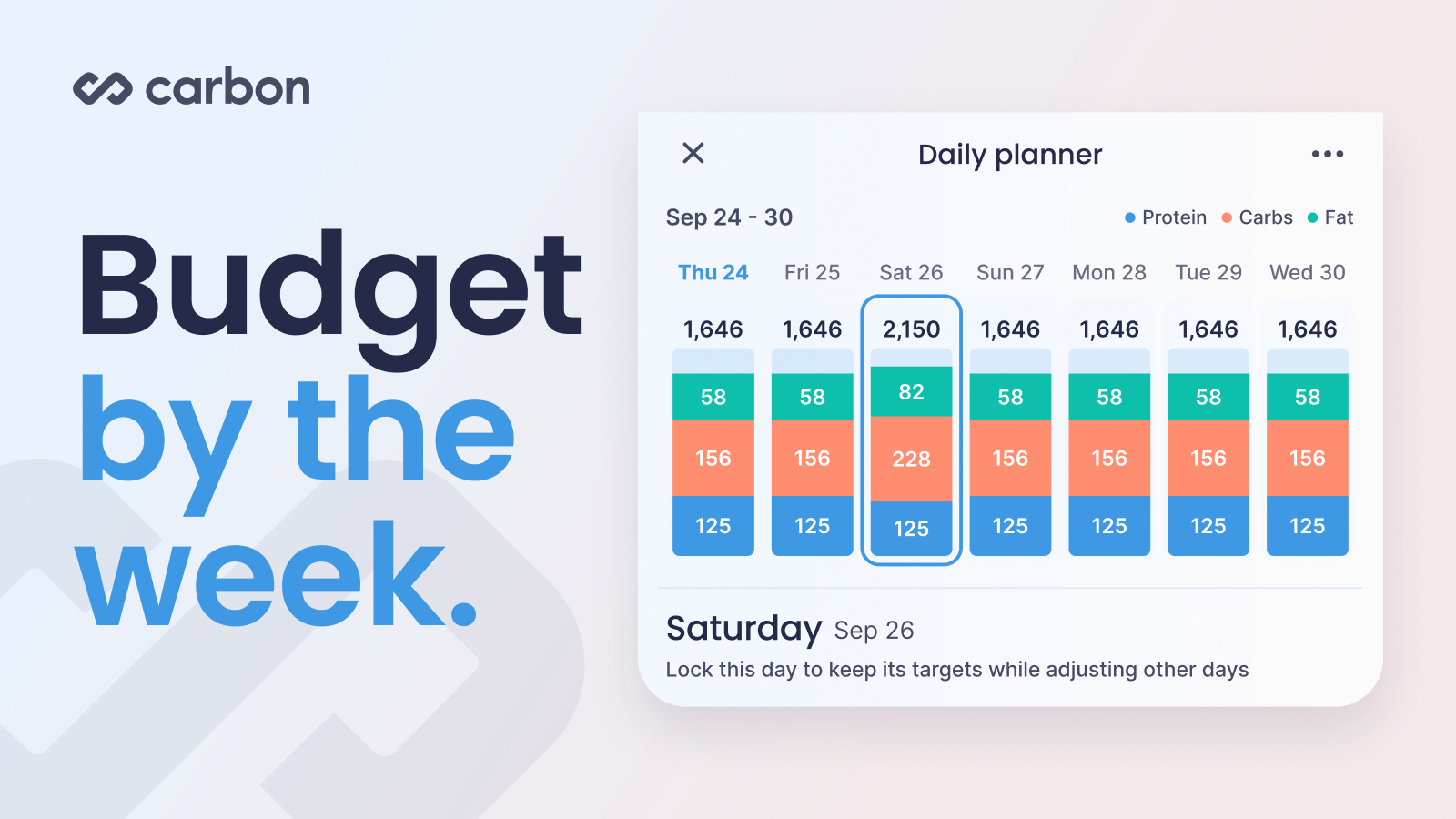
Quick answer: The easiest way to plan around weekends and eating out is weekly calorie budgeting, also called calorie banking. You treat your calories as a weekly total, eat a little lighter on quieter days, and use the difference for the dinner, drinks, or plans you know are coming. A food tracker with a weekly planner, like Carbon's Calorie Planner, does the math for you and rebalances the rest of your week so your weekly total stays on target.
What is weekly calorie budgeting?
Weekly calorie budgeting means treating your calorie target as a weekly total instead of a daily limit. A 2,000 calorie daily target is 14,000 calories a week. You can eat 2,000 every day, or move some calories from quiet days to busy ones, and end the week in the same place.
You'll also see it called calorie banking, which means saving calories ahead of time, or calorie cycling, which means planning higher and lower days. The idea is the same: your average across the week matters more than any single day.
Here's what that looks like. Say you have a dinner out on Saturday and want 2,600 calories that day. That's 600 over your daily target, so you take 100 calories from each of the other six days. Those days become 1,900 calories, Saturday gets its 2,600, and your week still adds up to 14,000.
Why weekends are where progress stalls
In a year-long study of adults in their 50s, people who cut their calories by 20% lost weight during the week but stopped losing on weekends, mostly because they ate more on Saturdays.
Another study that tracked daily weigh-ins of 80 adults found weight was usually highest on Sunday and Monday and came down through the week. The people who lost or held their weight still had weekend bumps. They just came back down during the week.
Those weekend bumps are normal. During a fat loss phase, you can eat more on weekends and still see your weight trend down, as long as you're in a calorie deficit across the whole week. Planning ahead makes that much easier.
What to look for in a food tracker that plans around weekends
Food trackers handle weekends in a few different ways:
A fixed daily target: One number every day. It's simple, but a big Saturday just shows up as a day over target, and making it up is on you.
Pre-logging meals: You log a restaurant meal before you go so you can see what's left for the day. Helpful for that day, but it doesn't move calories across the week.
A weekly budget that rebalances: You raise one day and the rest of the week adjusts automatically. This is the closest match to planning around weekends.
If weekends and eating out are where you struggle, ask:
Weekly view: Can I see my calories across the whole week, not just today?
Moving calories: Can I give one day more and have the rest of the week adjust?
Locking days: Can I lock the days that are already done so they don't change?
How Carbon does it: Carbon pairs a weekly budget with weekly coaching. The Calorie Planner lets you move calories between days, and when you do, Carbon keeps your carbs and fat in a set ratio so your macros stay balanced. At your weekly check-in, Carbon looks at what you logged and your weight trend across weeks, then adjusts your targets. You can read more about that in our guide to choosing a macro app for fat loss.
How to use Carbon's Calorie Planner
Open the planner: Go to the Diary tab and tap Planner.
Pick your day: Tap the day you want to change, like Saturday.
Lock the rest: Lock the days you don't want to change, including any days that have already passed.
Set your calories: Enter the calories you plan to eat that day, or use the slider.
Save: Carbon spreads the difference evenly across the days you left unlocked.
In Planner settings, you can set the planner's start day to match your check-in day and choose whether it resets after each check-in. The help center has a full walkthrough in Using the Calorie Planner.
How to count macros when eating out
Restaurant meals are where most weekends go over. In a study of 364 meals from 123 restaurants, 92% had more calories than recommended for a single meal, and American, Chinese, and Italian meals averaged about 1,500 calories. A little planning goes a long way.
Before you go
Look at the menu ahead of time and pick your order before you get there.
Pre-log the meal so you know what the rest of your day and week look like.
Decide where you want to be flexible: drinks, dessert, or a richer entree. Picking one makes it easier to enjoy without going well past your plan.
When you order
Build the meal around a protein, like chicken, fish, steak, or eggs.
Ask for dressings and sauces on the side so you control how much you use.
If you want to save a few calories, ask for vegetables cooked without butter or oil.
If the portion is large, set some aside for later before you start eating.
How to log a restaurant meal
Chain restaurants: Search for the exact menu item. Many chains publish nutrition information for their menus.
Local restaurants: Find a similar item from a chain, or log the parts of the meal separately: the protein, the starch, the vegetables, and the sauce.
Use the Smart Logger: In Carbon, snap a photo of your plate or describe the meal, review the matches from Carbon's verified food database, and confirm before anything is logged. Learn how in Log Meals Faster with Carbon's Smart Logger.
Add calories for cooking: Restaurants cook in different ways, and many add extra oil, butter, or sauce. Log a little extra to cover it. A tablespoon of oil is about 120 calories.
Portions: Compare what's on your plate to portions you usually weigh at home.
For macros, focus on getting protein and calories close. In Carbon, a compliant day comes down to hitting your minimum protein target and your calorie target. If your carbs and fat are a bit off but protein and calories land where they should, that day still counts.
A note on alcohol
Alcohol has about 7 calories per gram, no protein, and doesn't fill you up. It can also make late-night snacking more likely. Before you go out, set a drink limit and eat a protein-rich meal. Alternate drinks with water, choose lower-calorie mixers, and log drinks the same way you log food.
How much to bank, and when not to
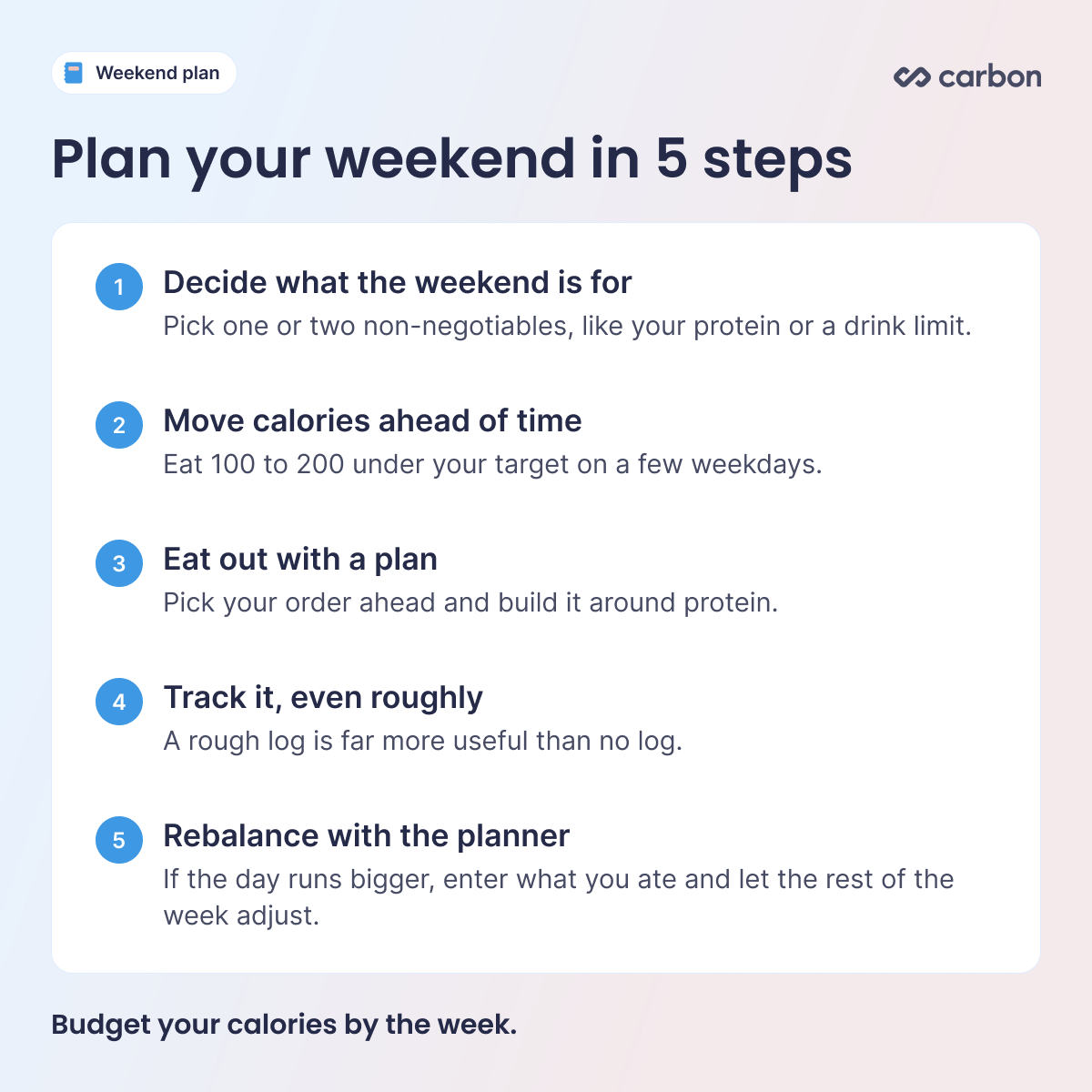
Start small: Eating 100 to 200 calories under your target Monday through Thursday gives you 400 to 800 extra calories for the weekend, without a big change on any single day.
Keep protein steady: Take calories from carbs and fat on lighter days and keep protein at your target every day.
Don't push weekdays too low: Very low days to afford one huge day are hard to stick with and can lead to overeating later. A moderate higher day is easier to balance.
Plan within one week: Carbon's Calorie Planner works in 7-day increments. If you're more than 7 days into your check-in period, check in first so your targets are up to date.
When the weekend doesn't go to plan
If Saturday ends up bigger than you planned, rebalance the rest of your week. Open the Calorie Planner, enter what you actually ate, lock that day, and Carbon spreads the difference across your remaining days. Your weekly total stays on target, and you can skip the urge to cut meals or slash Monday's calories.
If the scale jumps on Monday, give it a few days. Saltier meals, more carbs, and drinks can raise scale weight through water. Judge your progress by your weight trend over several weeks.
A simple weekend plan you can reuse
Friday
Track as usual.
If you're going out Saturday, set that day in the planner.
Pre-log dinner or drinks if you know them.
Saturday
Start with a protein-focused breakfast.
Enjoy the planned meal.
Log it, using the Smart Logger or estimates where you need to.
Sunday
Go back to your usual targets with a high-protein, high-fiber meal.
Take a quick look at the week ahead and plan any other big days.
FAQ
What is calorie banking?
Calorie banking means eating a little under your target on some days to save calories for a day when you know you'll eat more, like a weekend dinner. It's one form of weekly calorie budgeting.
Is calorie banking okay for fat loss?
Yes, as long as your weekly average stays on target and your protein stays steady. In studies of weekly weight patterns, people who lost weight still had weekend bumps. They balanced them during the week.
How do I count macros when eating out?
Use the exact menu item at chain restaurants. For local spots, log a similar chain item, log the parts of the meal separately, or use Carbon's Smart Logger. Add a little extra for oils and sauces, and focus on getting protein and calories close.
Does a bigger Saturday affect my Carbon check-in?
Not when you plan it with the Calorie Planner. At check-in, Carbon reviews your logged calories for the week, and missing calories by a lot in either direction can affect your adjustment. Using the planner to move calories between days keeps your week on target.
Can I bank calories for a vacation or holiday?
The Calorie Planner works within one week, so you can plan around a holiday dinner or a weekend trip in that week. For longer stretches, eat close to your targets, track as best you can, and pick back up at your next check-in.
How many calories should I save for the weekend?
Start with 100 to 200 calories a day on a few weekdays. That's easy to manage and makes room for one bigger meal.
Does a higher weigh-in after the weekend mean I gained fat?
Usually not. Saltier meals, more carbs, and drinks can raise scale weight for a few days through water. Your weight trend over several weeks tells you more than one weigh-in.
The bottom line
Weekends, dinners out, and celebrations are part of life, and your plan should have room for them. Think in weeks, keep protein steady, plan your bigger days ahead of time, and log what you eat, even when it's an estimate. Do that consistently and the weekend becomes part of your progress instead of something you have to recover from.
Try Carbon free for 7 days. Set your goal, plan your week with the Calorie Planner, and check in each week. Carbon adjusts your macros based on your actual progress. Start your free trial.
Share
John Ybarra, NBC-HWC, CSCS
John is a National Board Certified Health & Wellness Coach and Certified Strength and Conditioning Specialist who has coached people through fitness, nutrition, and behavior change for nearly two decades, including as a health coach at Vida Health and leading wellness programs at the YMCA. He is VP of Operations at Carbon Diet Coach.






.jpg)


.jpg)


