Enjoy the holiday meals you love and still make progress. Carbon builds a plan for your body, then adjusts it weekly so you start January closer to your goal.
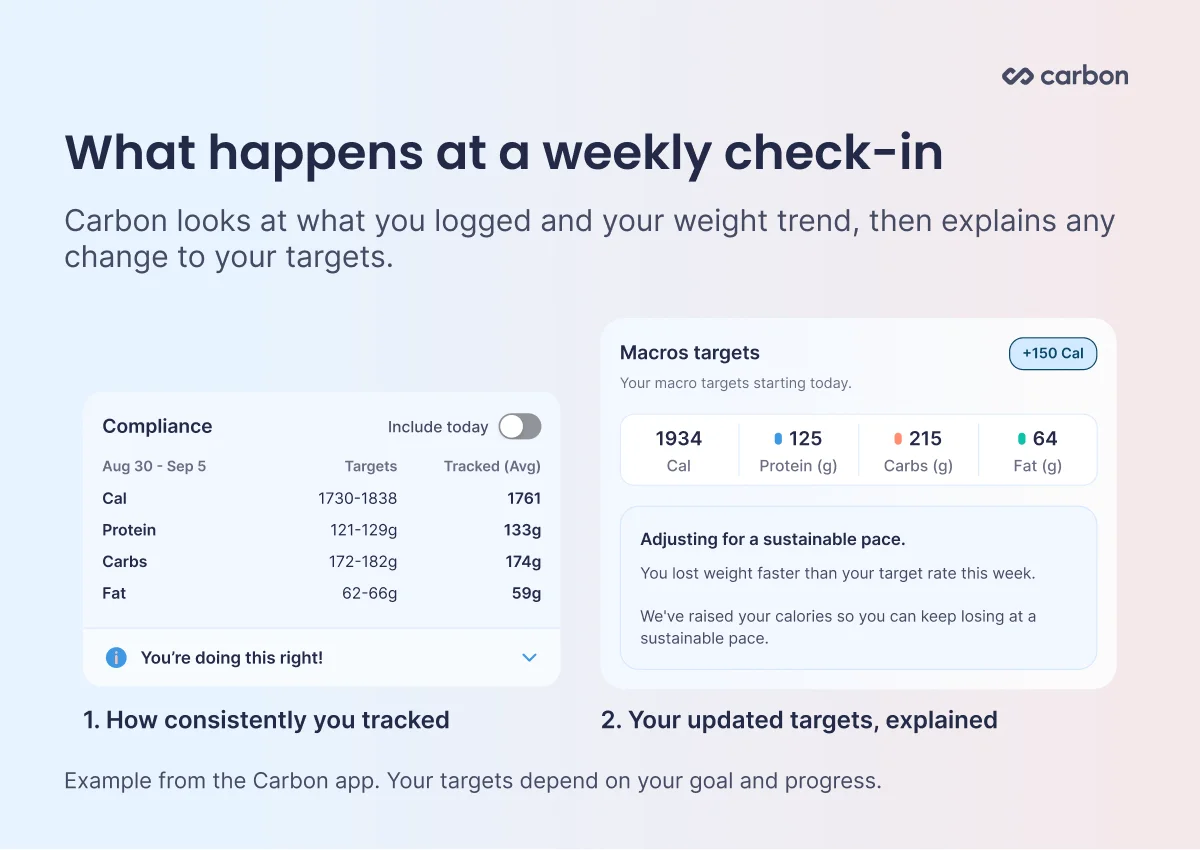
Carbon is a macro coaching app. At each weekly check-in it reviews your weight trend and what you logged, adjusts your calories and macros if needed, and explains why.
In Cronometer, your targets stay where you set them until you change them yourself.
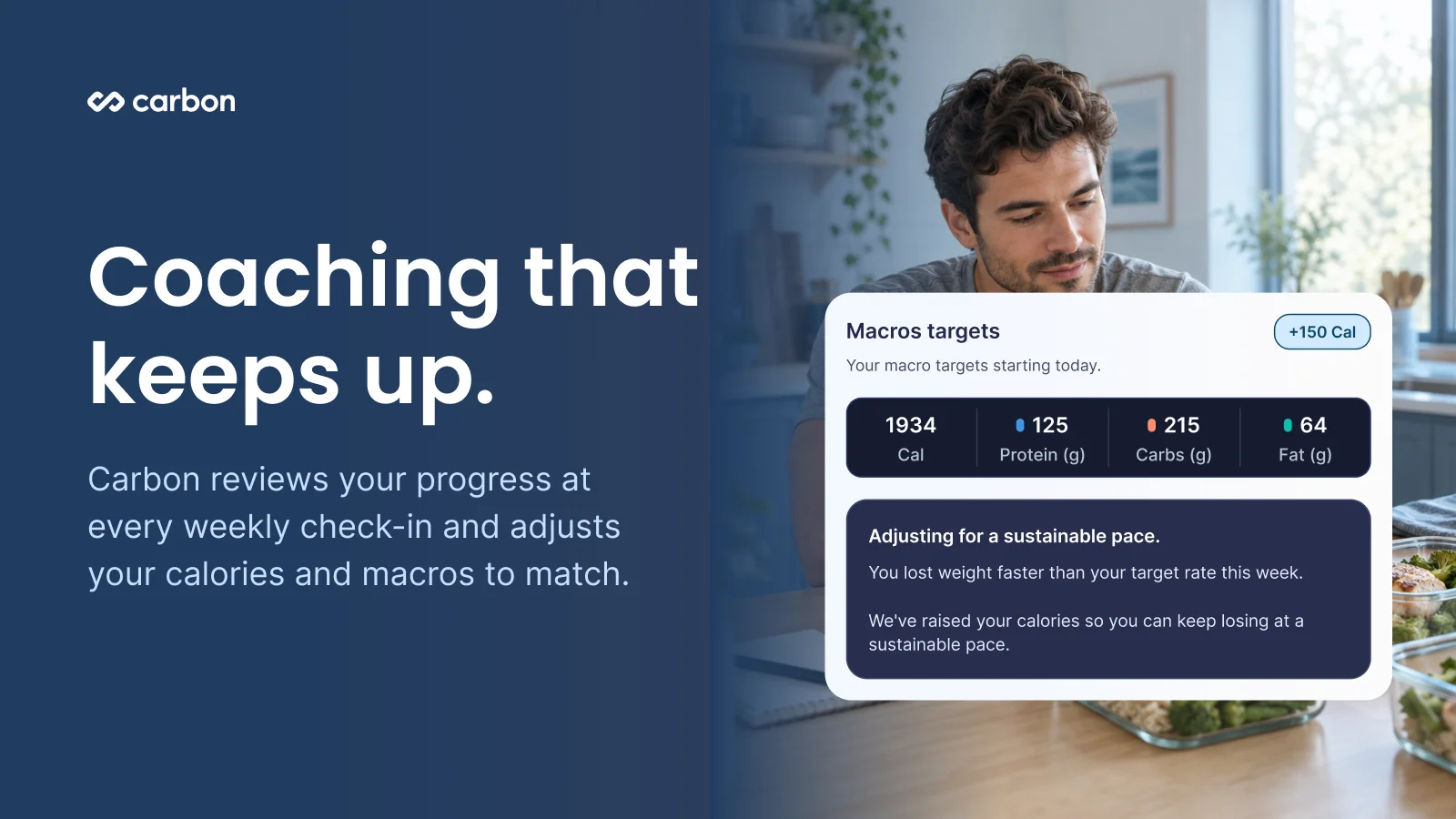
Carbon keeps your progress sustainable. It limits how fast you lose, raises your calories if you're losing too quickly, and sets a minimum calorie floor for every user.
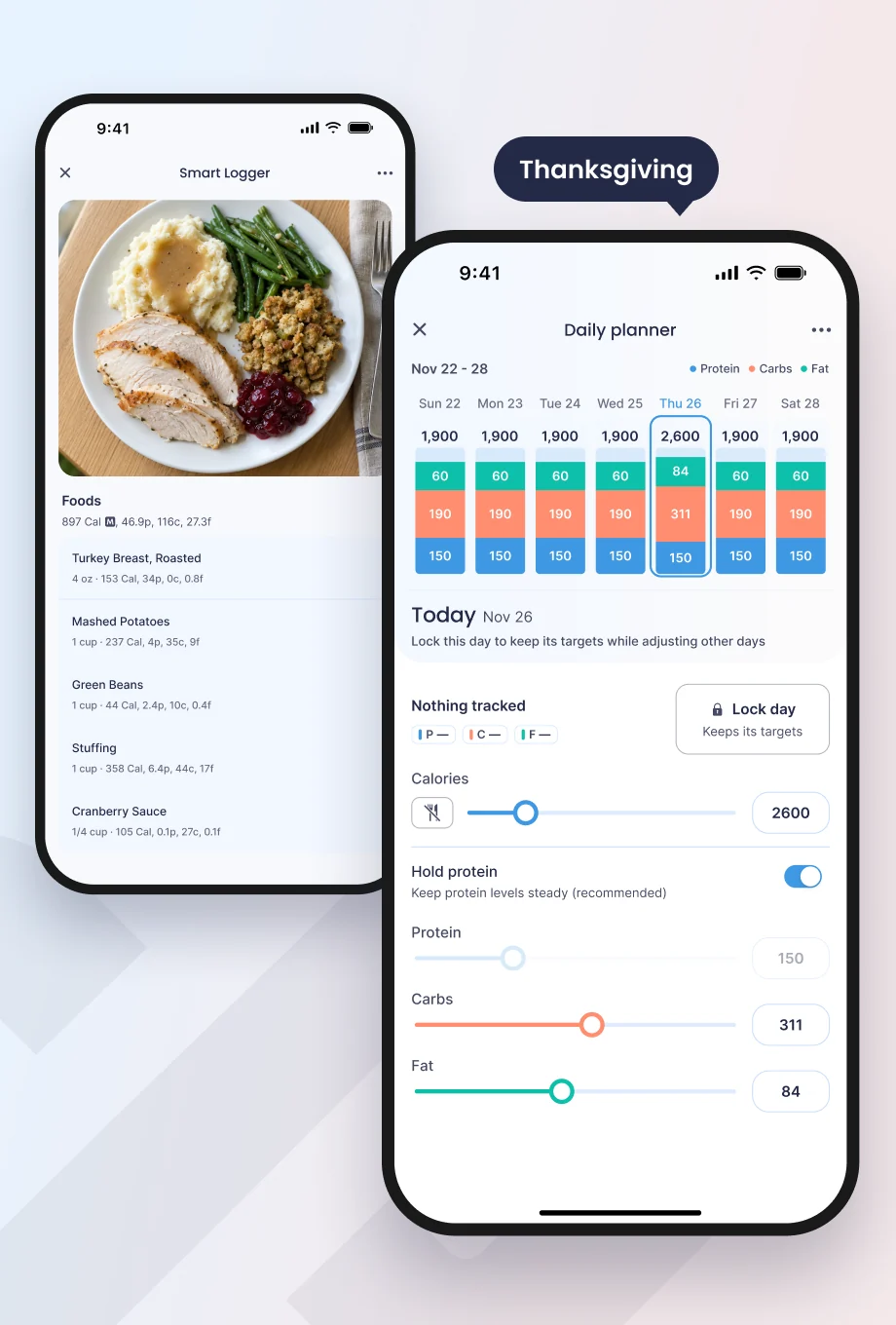
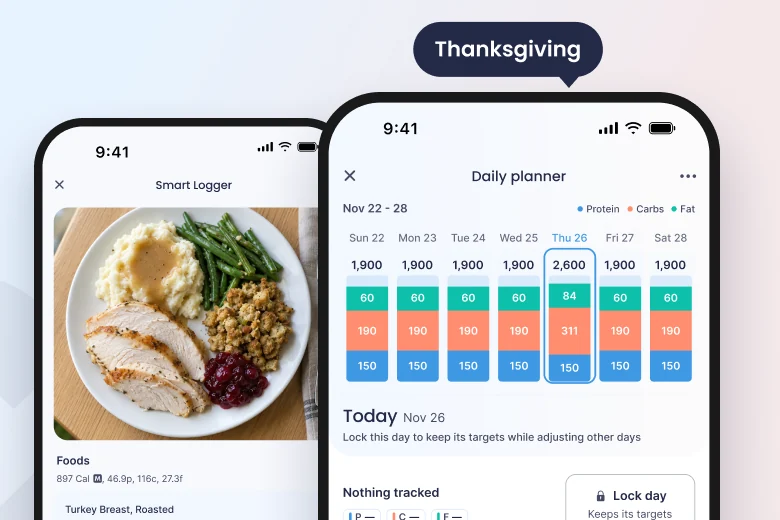
Carbon's daily planner lets you lock days, match what you tracked and plan fasting days, while keeping your weekly total on track.
Carbon's coaching was developed by Layne Norton, PhD, and registered dietitian Keith Kraker.
Logging food is the easy part. The hard part comes a few weeks in, when the scale stalls or drops faster than it should, and you have to decide what to change. That's the job Carbon is built for.
The core difference: tracking vs coaching
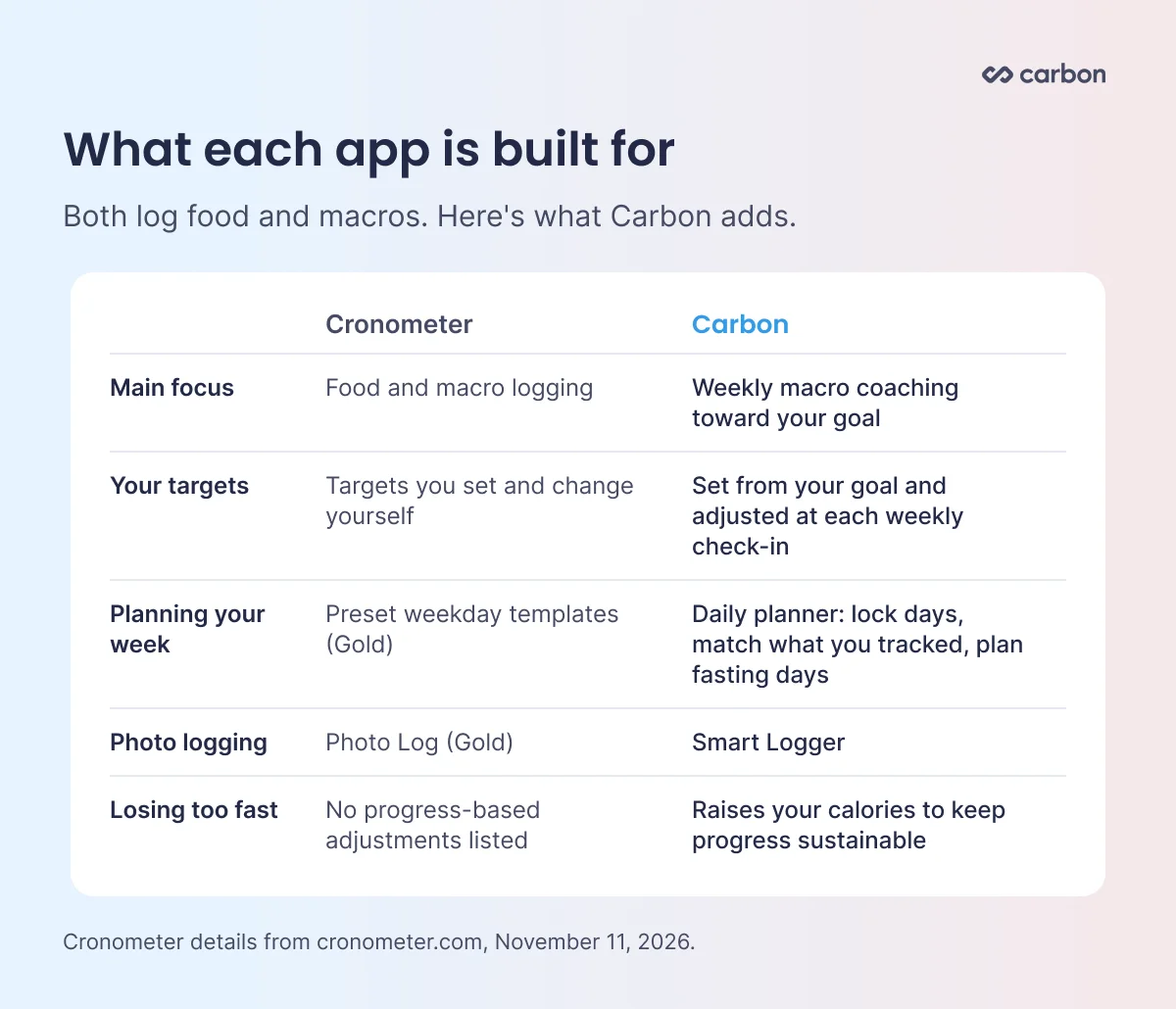
Cronometer is a food tracker. You set your own calorie and macro targets, and they stay the same until you change them. Cronometer's plan pages don't list weekly target adjustments based on your progress.
Carbon is a coaching app. It sets your starting calories and macros from your goal, including a protein target based on your lean body mass. Each week you complete a check-in, and Carbon reviews your progress, adjusts your targets if needed and tells you why.
Why people choose Carbon as their Cronometer alternative
Targets that keep up with you. As you lose weight, your body burns less, so a target that worked in week one can stall you by week ten. Carbon's weekly check-in reviews your trend and adjusts your calories, so you're not left guessing.
A pace you can sustain. If you're losing faster than your target rate, Carbon raises your calories. Every user also has a minimum calorie floor.
A plan that fits real life. Carbon's daily planner lets you shape each day of your week around what's coming up, and keeps your weekly total on track.
Coaching built on research. Carbon was co-founded by Layne Norton, PhD, and its coaching was developed by Layne and registered dietitian Keith Kraker, built on the research behind sustainable fat loss and maintenance.
Real people when you need help. Every plan includes support from Carbon's team and access to the member community.
How Carbon's weekly check-in works
At each check-in, Carbon looks at how consistently you logged and your weight trend. If your progress calls for a change, it adjusts your calories and macros and explains why. If you didn't log enough that week, your targets stay the same, so a light tracking week doesn't throw off your plan. See how the weekly check-in works.
Plan your week around real life
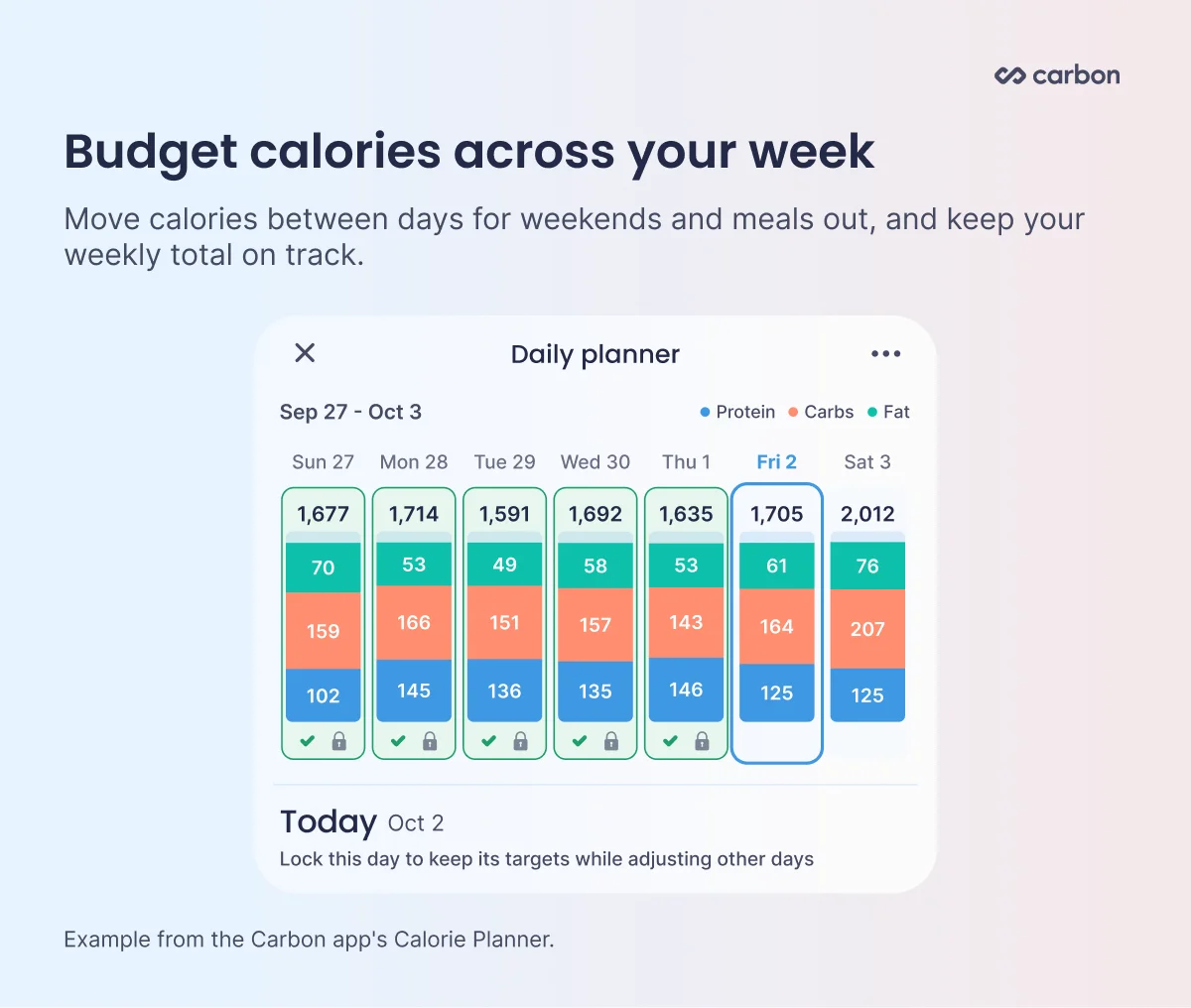
Cronometer Gold sets weekday targets from preset templates. Carbon's daily planner works from the days in your actual check-in period, with one column per day showing calories, protein, carbs and fat.
Lock and redistribute. Lock any day to keep it as is. Raise one day's calories and the difference moves to your other unlocked days. Preview the whole week before you save.
Match Tracked. Went over or under on a finished day? Tap Match to set that day's targets to what you tracked. The difference moves to the open days ahead, and protein is raised on those days to cover any shortfall.
Fasting days. Set a day to zero and its calories spread across your other unlocked days.
Precise macros. Adjust protein, carbs and fat for each day, with protein held steady by default.
Carbon uses a verified food database powered by FatSecret, with barcode and label scanners for packaged and local foods. The Smart Logger lets you log a meal from a photo or a quick description, matched to Carbon's verified database for you to review and confirm. Smart Suggestions surface foods you log often inside the right meal.
The verdict: Carbon vs Cronometer
If you want an app that only records what you eat, a tracker will do that. If you want to reach your goal, Carbon is the better choice. It sets your targets, reviews your progress every week, explains every change, raises your calories when you're losing too fast and lets you plan each day around real life.
Carbon doesn't import history from other apps. If you're switching in the middle of a diet, enter the maintenance calories you already know and choose a similar rate of loss when you set your goal. Carbon picks up where your current diet is and adjusts from your first weekly check-in. Carbon also syncs with Apple Health and Google Health Connect.
FAQs: Carbon vs Cronometer
Which is better, Carbon or Cronometer?
If you want to reach a fat loss, maintenance or muscle gain goal, Carbon is the better choice. Carbon reviews your progress at every weekly check-in, adjusts your calories and macros if needed and explains why. In Cronometer, you set and change your own targets.
What's the best Cronometer alternative if you want your macros adjusted for you?
Carbon is built for that. You log your food and weigh in, and at each weekly check-in Carbon reviews your weight trend and what you logged, adjusts your calories and macros if needed, and explains the change.
Does Cronometer adjust your calories based on your progress?
Cronometer's plan pages don't list weekly target adjustments based on your progress. You set your own targets and change them yourself.
What happens if I lose weight too fast on Carbon?
If you're losing faster than your target rate, Carbon raises your calories at your check-in. Every user also has a minimum calorie floor.
Can I plan around weekends and meals out in Carbon?
Yes. Carbon's daily planner lets you lock days, raise calories on the days you need them and spread the difference across the rest of your week. You can also match a finished day to what you tracked and plan fasting days.
Does Carbon have a free trial?
Yes. You can try every feature free for 7 days when you sign up at web.joincarbon.com.
Can I switch from Cronometer to Carbon mid-diet?
Yes. When you set up Carbon, enter the maintenance calories you already know and choose a rate of loss close to the one you've been following. Your weekly check-ins adjust from there.
Cronometer details are from cronometer.com as of November 11, 2026 and may change. Cronometer is a trademark of its owner. This article is for informational purposes and isn't medical advice.
Share
John Ybarra, NBC-HWC, CSCS
John is a National Board Certified Health & Wellness Coach and Certified Strength and Conditioning Specialist who has coached people through fitness, nutrition, and behavior change for nearly two decades, including as a health coach at Vida Health and leading wellness programs at the YMCA. He is VP of Operations at Carbon Diet Coach.