Sign-up to our newsletter and we'll also send you our free ebook on Navigating Social Situations.
Imagine confidently joining any dinner party, indulging in holiday feasts guilt-free, and making lasting memories, all while edging closer to your goals. Sign up now!
You will receive an email from us soon.
Hmm.. something went wrong. If the issue persists, please contact us.
Release 78 is here, and it introduces the new Planner 2.0.
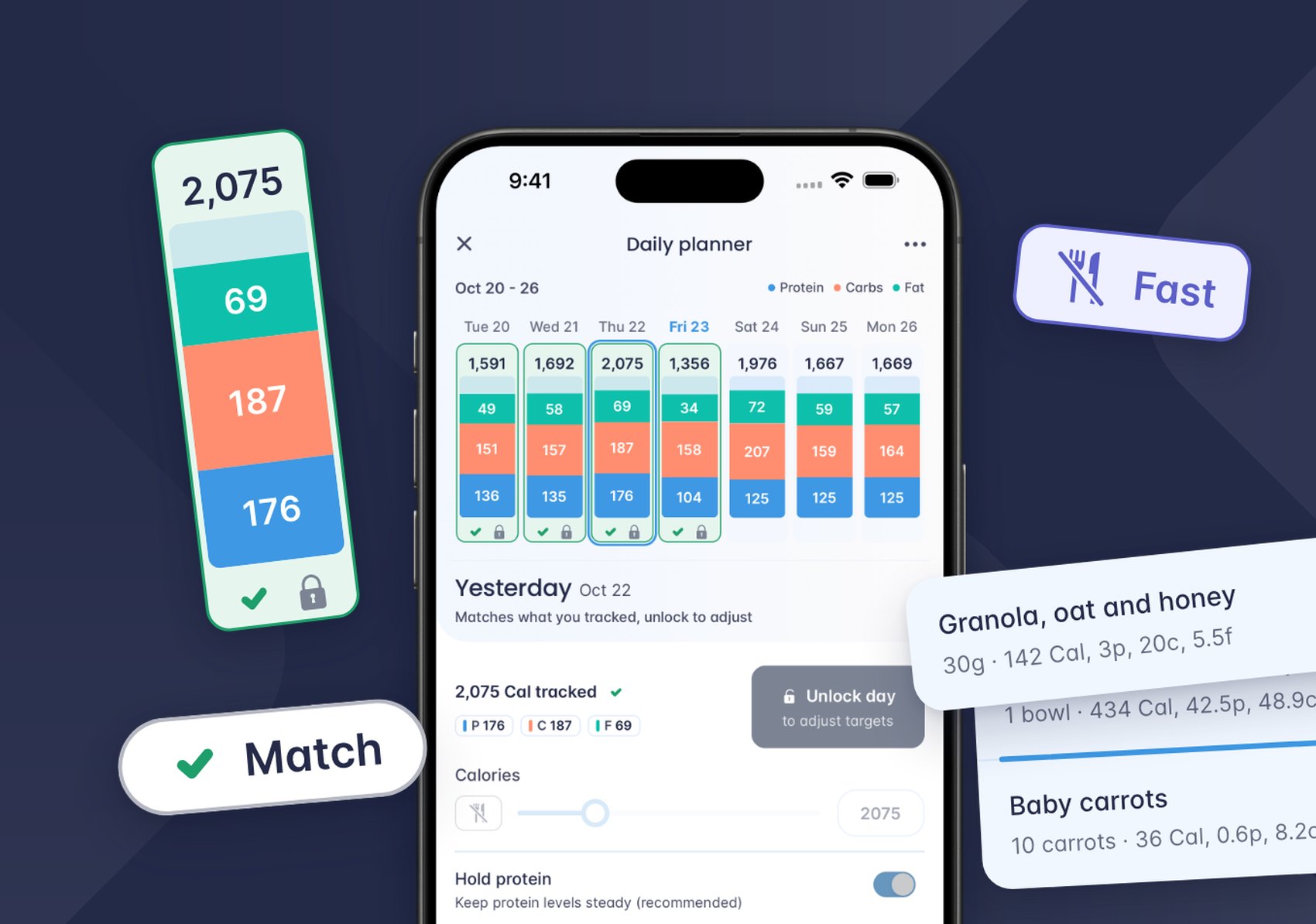
Plan the exact week your check-in measures. Match any day to what you actually ate. Plan a fast. Set protein, carbs and fat for each day. Then watch the rest of your week adjust to fit.
A planner built around your check-in
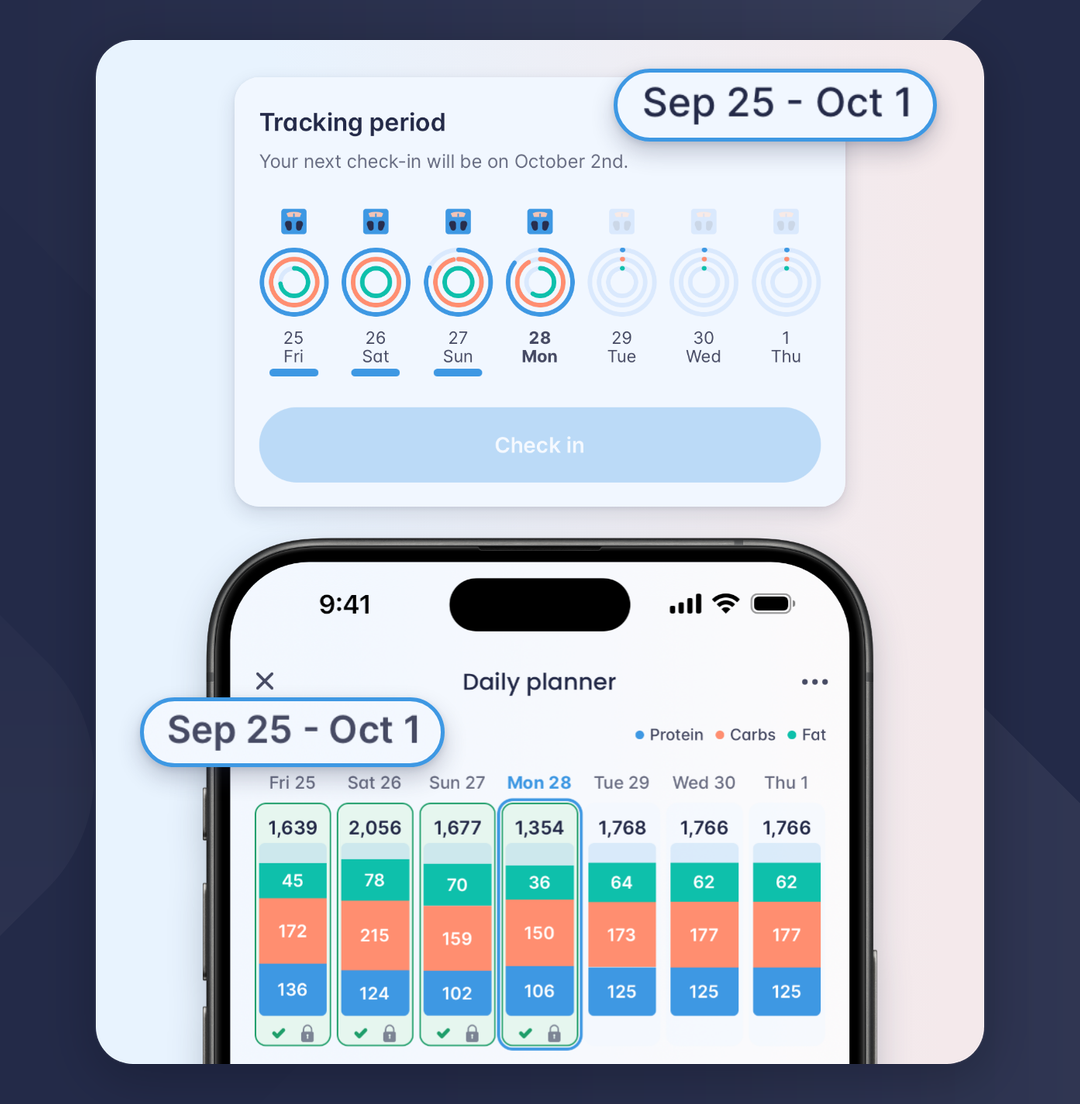
Your check-in reviews a week of tracking. Now your planner shows that same week.
The Daily planner lays out the dates of your tracking period, one column per day, each with its calories and its protein, carbs and fat. The week you plan is the week your Coach reviews.
Big weekend? Plan for it. Raise a day's calories and your other unlocked days share the difference. Lock any day you want to keep exactly as it is. You see the whole week change before you tap Save changes.
The new planner arrives after your next check-in, or when you create a new goal. Open it from the Planner button in your Diary.
Your Daily planner now follows your tracking period, one column per day.
Match a day to what you ate
Went over yesterday? Came in under? It happens, and now it takes one tap to plan around it.
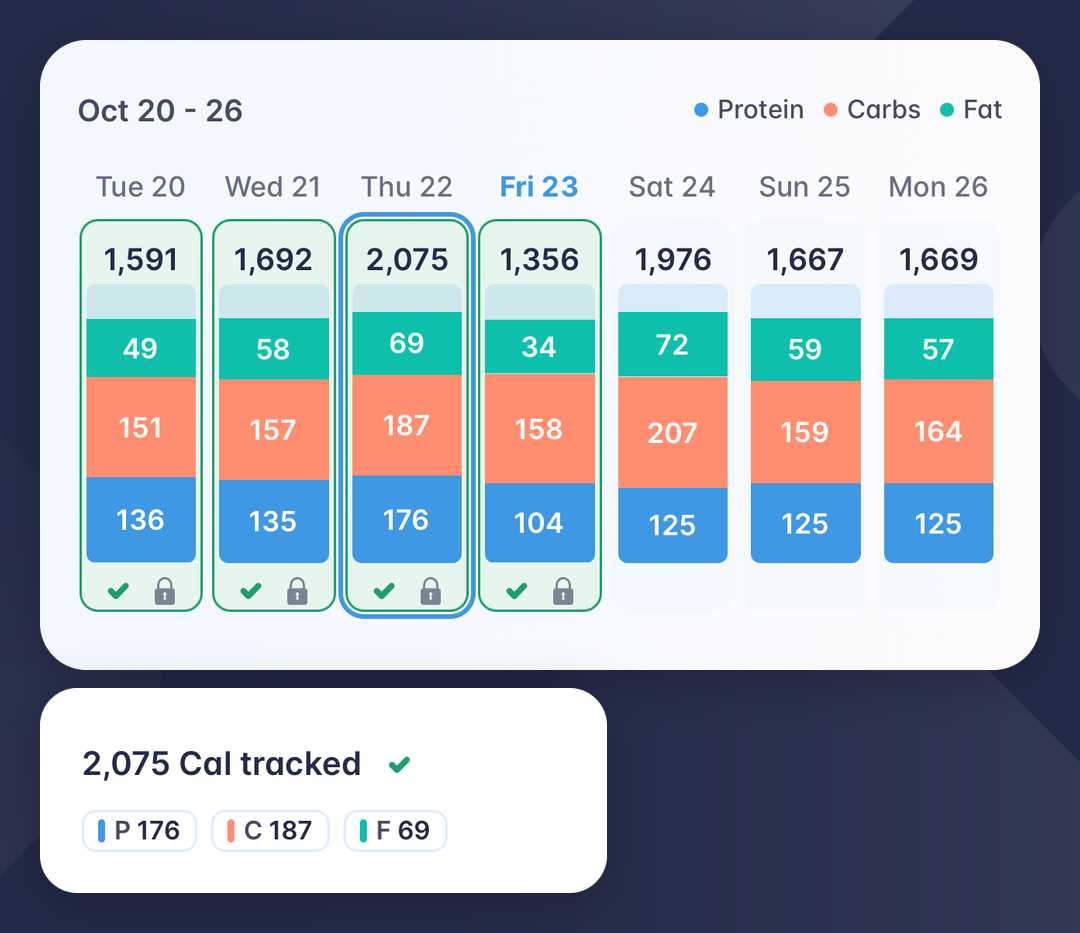
Select a day you've finished logging and the planner shows what you tracked beside that day's targets. Tap Match and the day's targets become exactly what you tracked. The difference moves to your other unlocked days, and the matched day locks so it stays put.
If a few earlier days have drifted, Match all brings them in line at once.
No working out how much to trim from the rest of the week. The planner does the math for you.
Thursday matched to the 2,075 Cal tracked. Saturday to Monday share the difference.
Easier to stay on track for check-in
Your check-in looks at your week as a whole: your average calories and your average protein. One higher day doesn't have to throw that off.
When you match a day, the days ahead take the difference, so your targets always show what's left for the week. Follow the days ahead and you know exactly what to aim for.
Protein gets the same care. If a matched day came in light on protein, the planner raises protein on your open days ahead to help keep your weekly average up.
Plan a fast
Planning a fasting day? Tap the fork and knife beside the calorie slider.
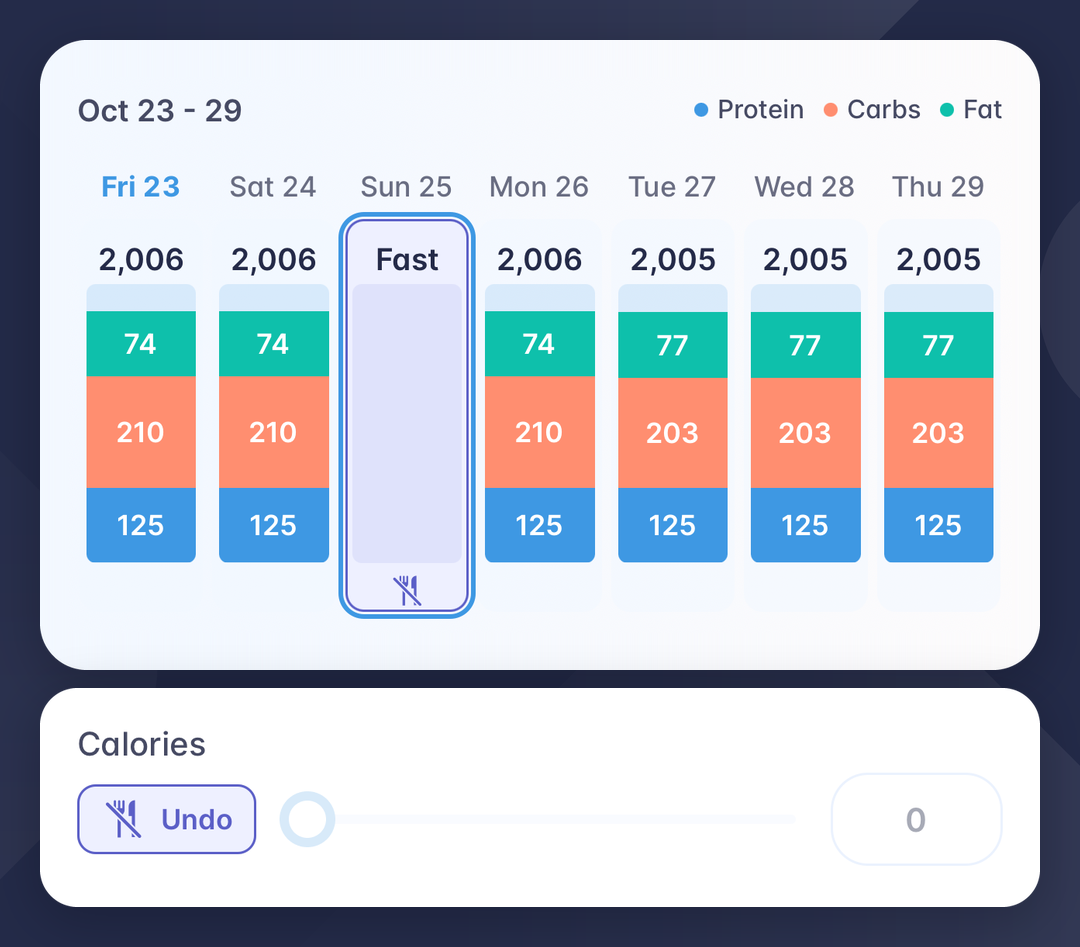
That day goes to zero, and its calories spread across your other unlocked days, so your week's total stays the same. The day locks, and your Diary shows it as a fasting day. Want the calories to land on particular days? Lock the others first.
Changed your mind? Tap Undo and the day goes back to its usual targets.
At check-in, a day with nothing tracked is left out of your protein average, so a planned fast won't pull your protein down.
Sunday planned as a fast. Its 1,719 Cal spread across the other six days.
Set your macros, day by day
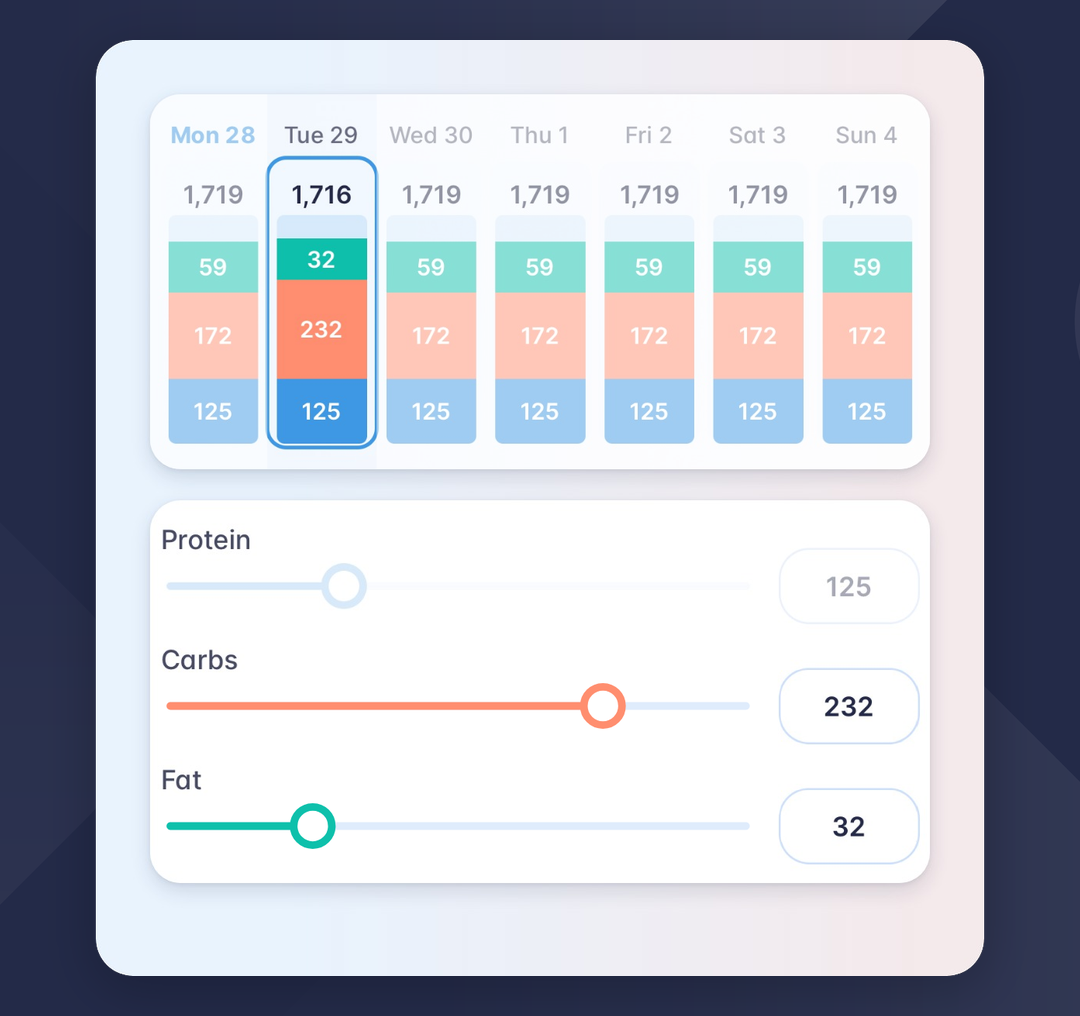
Calories are only part of the picture. Now you can shape each day's protein, carbs and fat too.
Select a day and drag Carbs up for a hard training day. Fat comes down to fit the day's calories, and protein stays where it is while Hold protein is on. Want a lower-carb rest day? Drag the other way.
Changing carbs or fat only changes that day. The rest of your week keeps its targets.
Hold protein is on for every day when you open the planner, because protein is what protects your muscle while you diet or build. Turn it off for any day where you want to set protein yourself.
Carb cycling, built in. Higher-carb and lower-carb days are now a few slider moves away. Adjust any date in the Daily planner, or, if your pattern repeats every week, set it once in Diet preferences with Advanced mode on, and each new week starts from it.
Tuesday's carbs raised to 232 g. Fat makes room, and protein holds at 125 g.
Drag & Drop, in your Diary and your recipes
Release 78 also makes it easier to keep things in order.
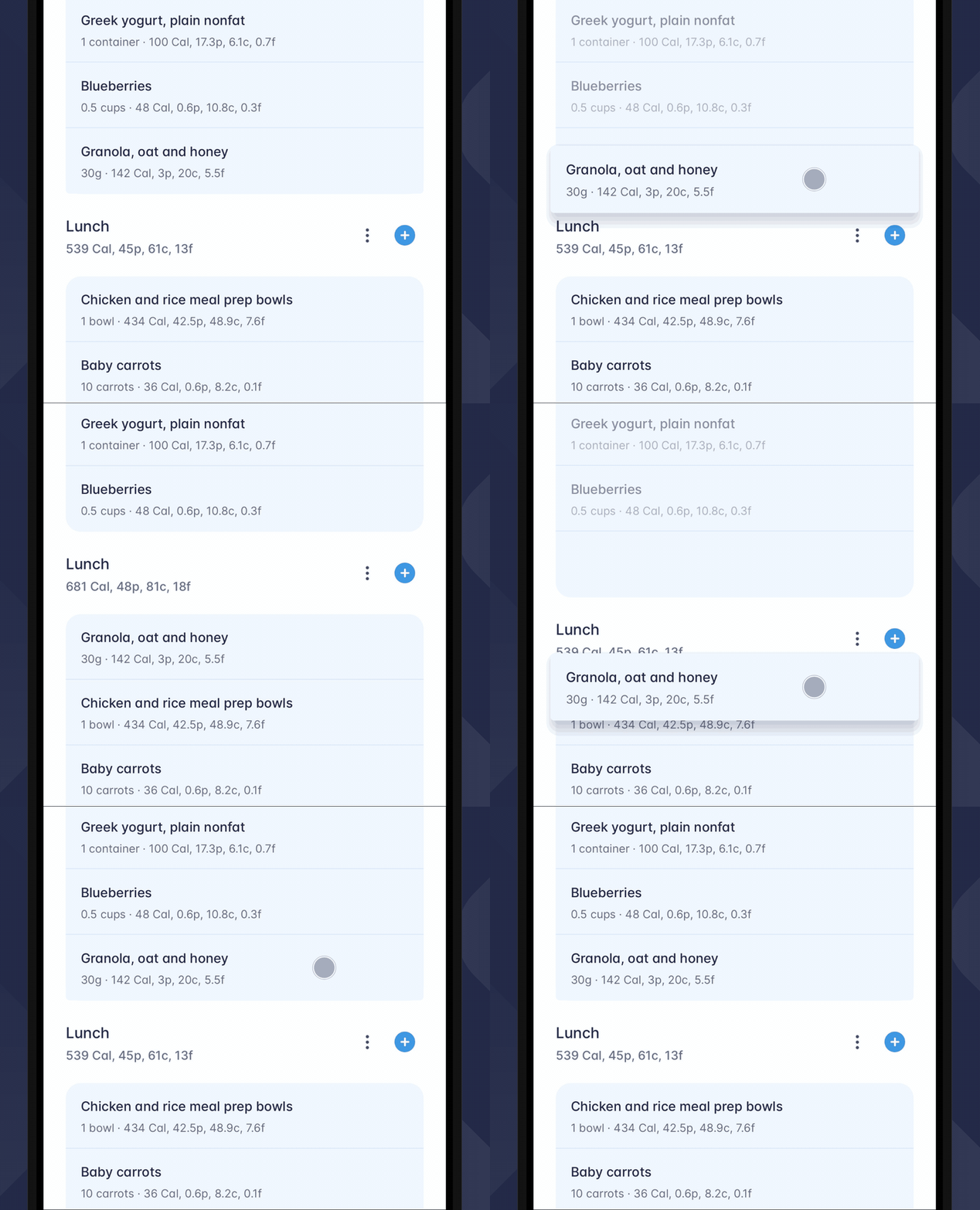
Hold any food in your Diary until it lifts, then drag it where it belongs: up or down within a meal, or into another meal. Both meals update as you drop it.
Hold a food and drag it into another meal. Both meals update as you drop it.
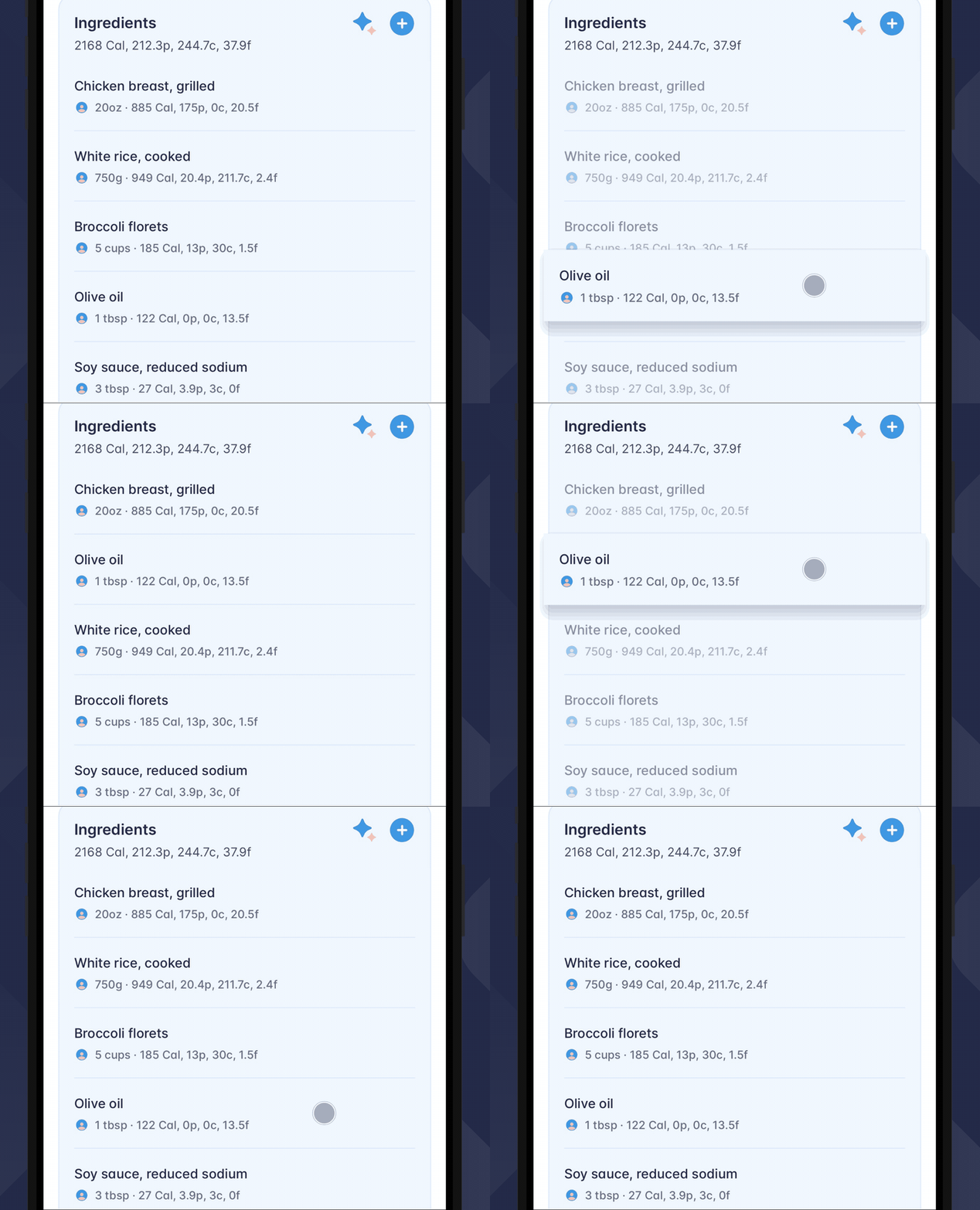
Recipes work the same way. While you create or edit a recipe, hold an ingredient and drag it into the order you cook in. Sections move too, ingredients and all.
Drag an ingredient into the order you cook in.
What's new in Release 78
Planner 2.0
Daily planner Your check-in period, one column per day.
Match Tracked Set a day to match exactly what you tracked.
Fasting Plan a fast and rebalance your week.
Precise Macros Adjust protein, carbs and fat per day.
Drag & Drop
Diary Entries Drag entries to re-sort or move them across meals.
Recipe Ingredients Reorder ingredients and sections.
Open Carbon and plan your week
Release 78 is available now. Update Carbon, and your new planner will be ready after your next check-in or when you create a new goal.
Then open your Diary, tap Planner, and plan the week ahead.
Plan the week you actually live, and keep your goal on track.
Share
The smart diet coaching app created by nutrition experts to help you achieve long lasting results.